
Topic Management and Disambiguation
Carefully defining and clarifying search queries is crucial for obtaining high-quality results – both for modifying content filter settings and managing your own bookmarks. The following sections outline the topic management and disambiguation capabilities of the webLyzard PRO dashboard.
Defining and Accessing Bookmarks
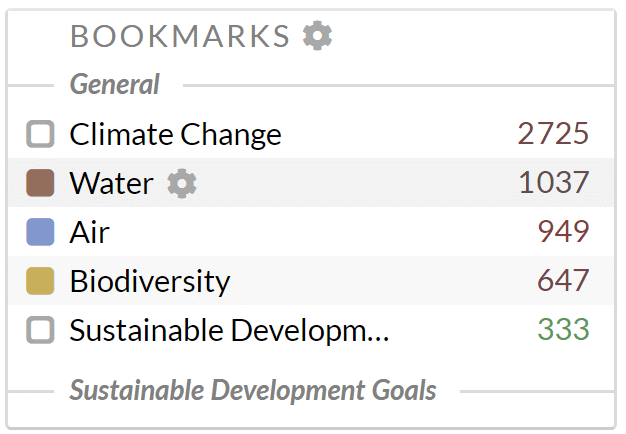
Bookmarks are a great way to preserve search queries you may be using regularly. For example, climate researchers use bookmarks to compare media reports on different aspects of climate change. Marketers use bookmarks that instantly make it possible to compare coverage about their brand’s main competitors. As a registered webLyzard user, you can use the left sidebar of your dashboard to create and edit bookmarks. You can also combine multiple bookmarks into complex queries, share bookmarks with other users or set customized email alerts.
Once you hover your cursor over “Bookmarks”, a gear icon appears to open a window with the full set of advanced search options to define or revise a bookmark. This includes the ability to filter by metadata elements (e.g. which sources your results come from). You can use logical operators (AND, OR, AND NOT) to combine various filters and restrictions:
- AND searches for all words (e.g. “California” AND “wildfires” gives you results about wildfires in California)
- OR searches for either of the words (e.g. “climate change” OR “global warming” shows you results for both, as these are common synonyms of each other)
- AND NOT excludes the word (e.g. “California” AND NOT “Hollywood” if you are looking to block out entertainment news)
Even complex queries to search in the full text, title or URL of documents can be stored, revised and later accessed at the click of a button.
Excluding and Refining Search Terms
It is possible to exclude certain aspects of recent coverage. For example, to restrict queries to one or more countries, or select content from a specific set of Websites. Clicking on a bookmark label activates a tooltip to revise the content filter. Clicking on the small checkbox activates (or deactivates) the corresponding search. All matching documents are included in the list of search results, and used for computing various charts and metrics. Please note that it is the content of your bookmark that counts, not how you name it. The label of the bookmark itself is not considered in the matching process.
 For ad-hoc queries, simple text fields with your search term typically suffice. Defining and disambiguating topics, however, often requires a larger number of terms. To properly describe abstract concepts like “climate change” or popular but ambiguous brand names, you may need to consider synonyms, singular and plural versions of a term, grammatical variations, lists of related products and services, etc. Let’s use the American corporations Amazon, Apple, and the Gap as examples. In this particular case, a disambiguation step is necessary to distinguish these concepts. Unwanted matches you may want to exclude are the Amazonian rainforest, the apple that grows on a tree, and the gap between the train and the platform. The advanced search and especially the phrase editor with its support of so-called wildcard characters provide tools to aid users in this task.
Accessing the Phrase Editor
Select “list of phrases” to activate the Phrase Editor. This editor allows you to define and manage your lists of terms. You have to include at least one word or phrase per line. There is no need to use quotation marks to mark compound words or phrases such as big data.
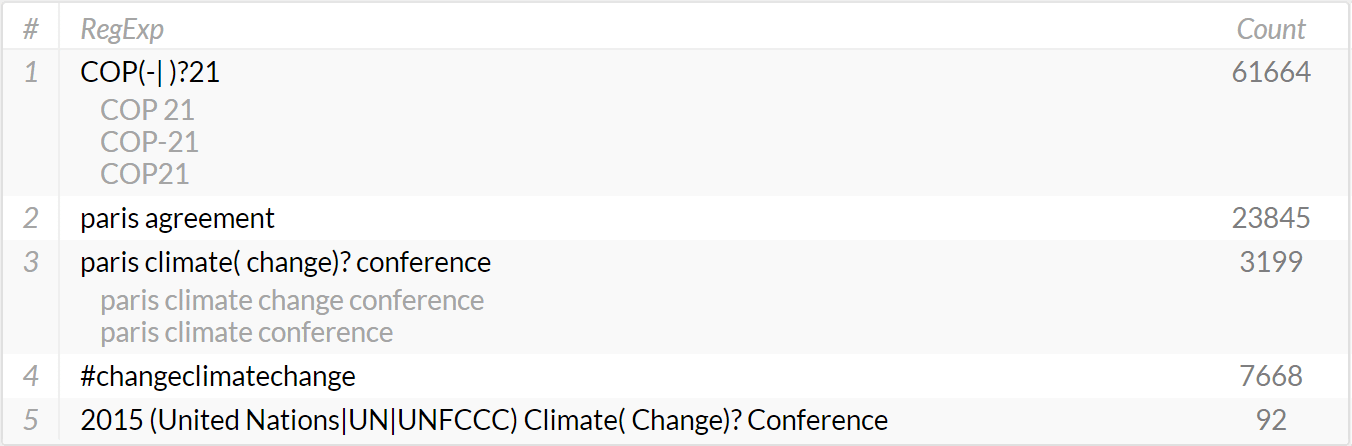
The column on the right shows the number of documents matching the query defined by this particular line – considering the currently selected content source(s) and time interval. The lines can be sorted alphabetically or by the number of matching documents. Each line can contain (i) a single word, (ii) a phrase, or (iii) a regular expression (RegExp) that supports optional wildcards for defining queries more effectively.